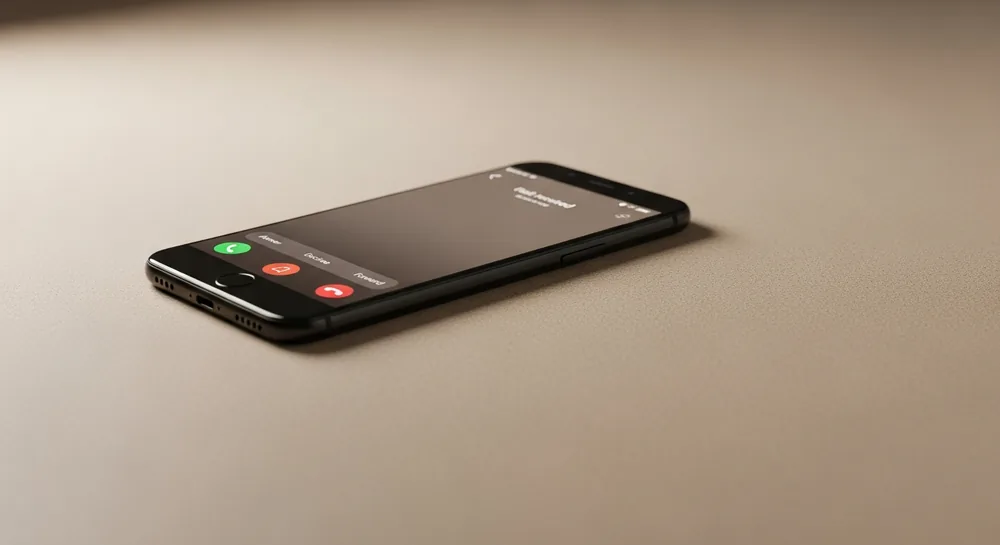
Po 18 val. ir savaitgaliais klientai vis tiek skambina. Be naktinio darbuotojo galite atsiliepti kiekvienam — automatiškai. DI registratorė Agnė pakelia ragelį per maždaug 2 sekundes, paklausia kliento vardo bei reikalo ir atsiunčia santrauką el. paštu, kol jūs miegate. Šiame straipsnyje palyginame 5 sprendimus, kaip aprėpti skambučius ne darbo metu — nuo balso pašto iki DI balso asistentės — ir padedame pasirinkti tinkamiausią jūsų verslui.
Kodėl skambučiai ne darbo metu svarbesni, nei atrodo
Dauguma paslaugų įmonių dirba įprastu grafiku — maždaug nuo 8 iki 18 val., nuo pirmadienio iki penktadienio. Tačiau klientų poreikiai šio grafiko nepaiso. Mūsų stebimi srautai rodo, kad iki 30–40 % visų įeinančių skambučių atkeliauja ne darbo metu: vakarais po 18 val., šeštadieniais, sekmadieniais ir per valstybines šventes. Kai kuriose srityse — odontologijoje, viešbučiuose, autoservisuose — ši dalis dar didesnė.
Priežastis paprasta. Dienos metu jūsų klientai patys yra darbe. Jie negali pasitraukti iš susitikimo, kad paskambintų į kliniką, autoservisą ar grožio saloną. Tik vakare, grįžę namo, jie sėda ir ima tvarkyti asmeninius reikalus: registruotis pas gydytoją, užsisakyti staliuko restorane ar pasiteirauti paslaugos kainos.
Tuo metu prasideda problema. Klientas skambina — ir niekas neatsiliepia. Kas vyksta toliau? Tyrimai rodo, kad dauguma skambinusiųjų pakartotinai nebebando. Jie tiesiog atsidaro „Google“ ir paskambina kitam. Apie tai išsamiau rašėme straipsnyje kodėl klientai neskambina atgal.
Neatsilieptas vakaro ar savaitgalio skambutis nėra „atidėta užklausa“. Tai visam laikui prarastas klientas — ir, jei vidutinis vizitas jūsų klinikoje ar autoservise kainuoja 60–150 EUR, kas savaitę netenkate kelių šimtų eurų pajamų vien dėl to, kad nėra kam pakelti ragelio.
5 sprendimai: nuo pigaus iki profesionalaus
Verslai šią problemą sprendžia skirtingai. Vieni palieka balso pašto pranešimą, kiti nukreipia skambučius į asmeninį telefoną, treti investuoja į brangų skambučių centrą. Štai penki dažniausi variantai su jų stipriosiomis ir silpnosiomis pusėmis.
1. Balso paštas
Pigiausias ir paprasčiausias variantas. Skambinantysis išgirsta įrašytą pranešimą ir gali palikti žinutę.
Privalumai: beveik nemokama, visada įjungta, nereikia žmogaus.
Trūkumai: klientas negauna jokios pagalbos. Negali sužinoti kainos, patikrinti laisvų laikų ar užsiregistruoti. Tyrimai rodo, kad apie 80 % skambinusiųjų balso pašte žinutės nepalieka — tiesiog padeda ragelį ir paskambina konkurentui. Balso paštas yra pasyvus sprendimas, kuris klientui pasako: „Šiuo metu negalime jums padėti.“ Daugumai tai reiškia atsisveikinimą visam laikui.
2. Skambučių peradresavimas darbuotojui
Skambučiai po darbo valandų peradresuojami savininko arba darbuotojo asmeniniam telefonui.
Privalumai: klientas pasiekia gyvą žmogų, kuris gali atsakyti į klausimus.
Trūkumai: kažkas turi būti pasiekiamas visą parą. Savininkas atsiliepia per vakarienę, šeštadienio rytą, per Kalėdas. Tai veda tiesiai į perdegimą — niekada negalima iš tikrųjų atsijungti nuo darbo. Be to, vienas žmogus vienu metu gali kalbėti tik su vienu klientu. Jei du paskambina vienu metu, vienas vis tiek lieka neatsakytas.
3. Skambučių centras (išorinis aptarnavimas)
Profesionali paslauga, kai išorinė įmonė atsiliepia į jūsų skambučius pagal pateiktą scenarijų.
Privalumai: profesionalus aptarnavimas, gali dirbti 24/7, galimos kelios kalbos.
Trūkumai: didelė kaina. Skambučių centrai paprastai ima mokestį už skambutį arba už minutę, todėl mėnesinė sąskaita greitai išauga iki 1 200–1 800 EUR/mėn. jau prie vidutinio srauto. Be to, operatoriai aptarnauja dešimtis verslų vienu metu — jie nežino jūsų konkrečių paslaugų, kainoraščio niuansų ir išimčių. Klientai dažnai gauna šabloninius atsakymus, kurie netenkina.
4. IVR sistema (mygtukinis meniu)
Automatinė sistema, kurioje klientas naršo paspausdamas mygtukus: „Norėdami sužinoti darbo laiką, spauskite 1. Norėdami užsiregistruoti — 2…“
Privalumai: dirba 24/7, gali nukreipti skambutį tinkama kryptimi, pigiau už skambučių centrą.
Trūkumai: klientai nekenčia mygtukinių meniu. Tai nuolat pripažįstama viena labiausiai erzinančių aptarnavimo patirčių. Skambinančiajam tenka klausytis ilgo sąrašo, spausti mygtukus ir dažnai vis tiek nerasti, ko reikia. Rezultatas — suerzintas klientas ir nutrauktas pokalbis. Detalų palyginimą pateikiame straipsnyje DI balso asistentas vs IVR.
5. DI balso asistentė
Dirbtinio intelekto sistema, kuri atsiliepia natūralia kalba, supranta kliento klausimą ir veikia savarankiškai — be mygtukų, be laukimo eilėje.
Privalumai: dirba 24/7/365, kalba sklandžia lietuvių kalba (taip pat anglų, rusų, lenkų), atsako į klausimus apie paslaugas ir kainas, užfiksuoja kliento poreikį ir pageidaujamą laiką, atsiunčia santrauką el. paštu, pažymi skubų atvejį, vienu metu gali kalbėti su daugybe klientų, niekada nereikalauja poilsio.
Trūkumai: reikia pradinio paruošimo (1–2 darbo dienos), o kai kurioms labai sudėtingoms situacijoms vis tiek gali prireikti žmogaus.
Iš esmės DI balso asistentė Agnė sujungia visų kitų sprendimų privalumus: visada įjungta kaip balso paštas, kalba natūraliai kaip žmogus, aptarnauja profesionaliai kaip skambučių centras, bet kainuoja — kelis kartus mažiau už menkiausią žmogaus pamainą.
Kaip Agnė dirba po darbo valandų
Kai jūsų biuras užsidaro 18 val., Agnė neišsijungia. Ji ir toliau atsiliepia į skambučius — vakare, naktį, savaitgalį, per šventes. Štai ką ji konkrečiai daro:
Atsiliepia per ~2 sekundes ir pasisveikina. Klientas išgirsta natūralų pasisveikinimą jūsų įmonės vardu: „Labas vakaras, Vilniaus odontologijos klinika, kuo galiu padėti?“ Be robotinio tono, be mygtukų meniu. Pokalbio pradžioje Agnė pati pasako, kad ji yra DI asistentė — taip elgiamės sąžiningai ir laikomės BDAR reikalavimų.
Atsako į klausimus. Agnė žino jūsų paslaugų sąrašą, darbo laiką, adresą ir dažniausiai užduodamus klausimus. Klientas gali paklausti: „Ar dirbate šeštadienį?“, „Kiek kainuoja konsultacija?“, „Kur jūs esate?“ — ir iškart gauti tikslų atsakymą jo paties kalba.
Užfiksuoja pageidaujamą laiką. Agnė paklausia, kokia data ir laikas klientui patogiausi, ir tiksliai užrašo pageidavimą kartu su vardu bei telefono numeriu. Penktadienio vakare paskambinęs klientas palieka užklausą vizitui pirmadienį, o pirmadienio rytą jūs perskambinate ir patvirtinate tikslų laiką. Pačią registraciją kalendoriuje su laisvų laikų tikrinimu pokalbio metu atlieka verslo lygio sprendimas ainora.lt.
Atsiunčia santrauką el. paštu. Kiekvieno pokalbio pabaigoje jūs gaunate el. laišką: kas skambino, ko klausė, ką susitarėte, ar reikalas skubus. Ryte atvykę į darbą per 3 minutes peržiūrite visas nakties registracijas — jokio darbo iš naujo neatlikti nereikia.
Atskiria skubų atvejį. Jei klientas turi avariją — stiprus dantų skausmas, prakiuręs vandentiekio vamzdis, kita neatidėliotina situacija — Agnė klausia, ar reikalas skubus, santraukoje pažymi „skubu“, kad pirmiausia perskambintumėte būtent jam. Taisykles, kurie atvejai laikomi skubiais, nustatote jūs. Tiesioginį pokalbio sujungimą su budinčiu darbuotoju ar SMS pranešimus atsakingam asmeniui atlieka verslo lygio sprendimas ainora.lt.
Aprėpia kelis skambučius vienu metu. Skirtingai nei žmogus, Agnė vienu metu gali kalbėti su 5, 10 ar 50 klientų. Niekam netenka laukti eilėje.
Taria vardus taisyklingai. Lietuviški vardai dažnai linksniuojami — „Jurgita“, „Jurgitos“, „Jurgitai“. Agnė turi savą LT linksniavimo žinyną, todėl klientui kreipiasi taisyklingai, o ne kaip užsienietiškas balso robotas.
Kam šis sprendimas reikalingiausias
Skambučiai ne darbo metu yra iššūkis beveik kiekvienam paslaugų verslui. Tačiau kai kurios sritys jį jaučia stipriau:
Odontologijos klinikos ir medicinos kabinetai. Pacientai dažnai skambina vakare — ypač atsiradus skausmui. Registracijų pikas — pirmadienio rytas, bet klientai nori užsirašyti sekmadienio vakare. Agnė vakare užfiksuoja vizito pageidavimą, o ryte registratorė pamato tvarkingą sąrašą ir patvirtina laikus.
Restoranai ir kavinės. Staliukų rezervacijos vyksta daugiausia vakare, kai žmonės planuoja savaitgalio vakarienę ar šventę. Jei niekas neatsiliepia 20 val., klientas užsisako kitur. Agnė užfiksuoja rezervacijos užklausą ir atsiunčia ją virtuvės šefui el. paštu, o šis patvirtina staliuką.
Viešbučiai ir apgyvendinimas. Keliautojai skambina iš skirtingų laiko juostų. Jų vidurnaktis yra jūsų vidurdienis ir atvirkščiai. Viešbučiams 24/7 aptarnavimas yra ne prabanga, o būtinybė — viena praleista rezervacija kainuoja kelis šimtus eurų.
Meistrai ir savarankiškai dirbantys specialistai. Santechnikas, elektrikas ar meistras visą dieną dirba objekte ir fiziškai negali atsiliepti. Tuo metu skambina potencialūs klientai. Agnė pakelia ragelį, užfiksuoja problemą, adresą bei telefoną — meistras vakare iškart peržiūri visas užklausas.
Grožio salonai ir estetinės klinikos. Klientės grožio procedūras dažnai planuoja vakare, naršydamos socialiniuose tinkluose. Impulsyvų sprendimą „noriu užsiregistruoti“ reikia užfiksuoti čia ir dabar — kitaip rytą jo nebebus.
Veterinarijos klinikos. Gyvūnai serga bet kuriuo paros metu. Sunerimusiam šeimininkui vakare reikia bent jau orientacijos — ar situacija skubi, kada artimiausias laikas. Agnė atskiria skubų atvejį ir pažymi jį santraukoje, kad budintis veterinaras perskambintų pirmiausia.
Autoservisai. Automobilis sugedo — savininkas iškart griebia telefoną. Jei autoservisas neatsiliepia, jis gūglina kitą. Agnė priima skambutį, užfiksuoja automobilio modelį, gedimą bei pageidaujamą laiką, o autoservisas perskambina ir suderina vizitą.
Kaip pradėti
Norite, kad jūsų verslas daugiau niekada nepraleistų skambučio — net ir naktį? Pradėti su ATSILIEPSIU.LT DI registratore užtruksite vos kelias minutes:
- 1 žingsnis. Užsiregistruojate ir per 10 minučių pasakote Agnei svarbiausius dalykus: kokias paslaugas teikiate, kokios kainos, kaip elgtis naktį — ką pažymėti kaip skubu ir kokią informaciją būtinai užfiksuoti.
- 2 žingsnis. Mes paruošiame Agnės atmintį pagal jūsų atsakymus — paslaugos, kainos, darbo laikas, registracijos taisyklės, skubaus atvejo scenarijus.
- 3 žingsnis. Pasitikriname kartu — paskambinate Agnei patys ir įsitikinate, kaip ji bendrauja su klientais.
- 4 žingsnis. Paleidžiame. Per 1–2 darbo dienas Agnė pradeda atsiliepti jūsų LT numeriu — nuo to momento kiekvienas skambutis aprėptas 24 val. per parą.
Visas procesas — nuo registracijos iki paleidimo — užtrunka 1–2 darbo dienas. Be ilgalaikių sutarčių, be sudėtingų IT integracijų. Kaina; Viskas, ko reikia smulkiam verslui aprėpti naktinius ir savaitgalio skambučius.
Pasitikėjimo ženklai: lietuviška įmonė, duomenys saugomi ES (BDAR), Agnė kalba sklandžia lietuvių kalba ir taria klientų vardus taisyklingai, pokalbio pradžioje pati pasako, kad ji yra DI asistentė. Skambučių įrašai ir santraukos pasiekiami jūsų asmeninėje paskyroje.
Norite išgirsti patys? Paskambinkite Agnei: +370 5 200 2566 — be registracijos, bet kuriuo paros metu. Per 2 minutes pajusite, kaip ji atsiliepia naktį jūsų klientams.
Dažnai užduodami klausimai
Kiek skambučių ateina ne darbo metu?
Priklausomai nuo srities, 30–40 % visų verslo skambučių ateina vakarais po 18 val., savaitgaliais ir per šventes. Odontologijoje, viešbučiuose ir autoservisuose ši dalis dažnai didesnė — žmonės skambina tada, kai patys baigia savo darbą.
Ar Agnė atsiliepia naktimis ir per šventes?
Taip. Agnė dirba 24 valandas per parą, 7 dienas per savaitę, 365 dienas per metus — įskaitant Kalėdas, Velykas ir kiekvieną kitą šventę. Jokių laisvadienių, atostogų ar ligos dienų. Skambutį pakelia per maždaug 2 sekundes.
Ar Agnė gali užregistruoti vizitą ne darbo metu?
Agnė užfiksuoja kliento pageidaujamą laiką, vardą ir telefono numerį ir atsiunčia santrauką el. paštu. Ryte pamatote visas nakties užklausas ir perskambinate patvirtinti vizito. Pačią registraciją kalendoriuje su laisvų laikų tikrinimu atlieka verslo lygio sprendimas ainora.lt.
Ar Agnė tikrai atskiria skubų skambutį naktį?
Taip. Agnė klausia kliento, ar reikalas skubus, ir vadovaujasi jūsų nustatytomis taisyklėmis: santraukoje el. paštu pažymi „skubu“ ir gali pasakyti klientui, ką daryti iki ryto, kad pirmiausia perskambintumėte būtent jam. Jūs patys pasakote, kurie atvejai laikomi skubiais (pvz., stiprus skausmas, vandentiekio avarija). Tiesioginį pokalbio sujungimą su budinčiu numeriu atlieka verslo lygio sprendimas ainora.lt.
Ar klientas supras, kad kalba ne su žmogumi?
Agnė pati pokalbio pradžioje pasako, kad ji yra DI asistentė — taip elgiamės sąžiningai ir laikomės BDAR reikalavimų. Kalba sklandžia lietuvių kalba, taisyklingai taria klientų vardus (turime savą LT linksniavimo žinyną), o duomenys saugomi ES.